Get started with CellStore, Part 3: Import an XBRL Filing
Estimated reading time: 2 minutesThis page is a placeholder, its contents are being worked on.
Import an XBRL filing
For importing XBRL filings the Rest API provides an endpoint:
/cellstore/v1/instances/import
This can be used to import an XBRL filing.
Step 1: Download an example XBRL filing
For example, go to the Apple Filing Details of the Q3/2017 10-Q.
Download all files listed under Data Files:
- aapl-20170701.xml
- aapl-20170701.xsd
- aapl-20170701_cal.xml
- aapl-20170701_def.xml
- aapl-20170701_lab.xml
- aapl-20170701_pre.xml
and add them to a single zip archive (for example, using 7-zip).
Alternative: Simply download the prepared apple_10Q_Q3_2017.zip.
Step 2: Import the XBRL filing into CellStore
There are several options to actually import the filing. We propose two different options to choose from:
Option 1: Import an XBRL filing using the Admin interface
- After starting the server, open the Admin UI at http://localhost:8080/ in the browser.
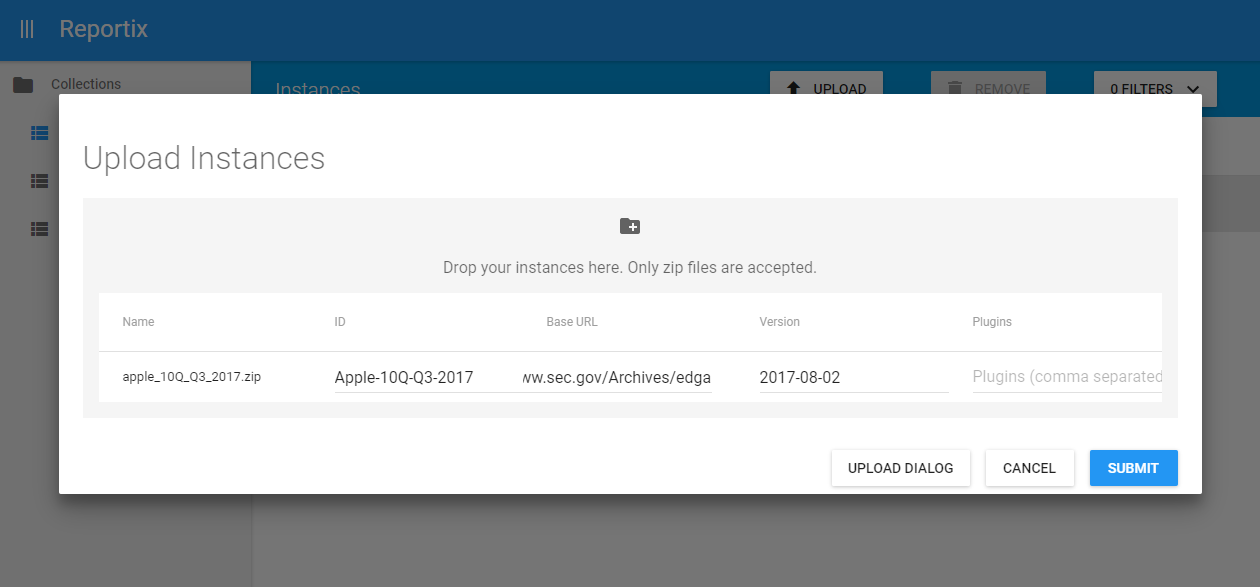
- In the instances collection click on “Upload”.
- Select the zip we have created in the previous step.
- Optionally, fill in the fields. We chose the following values as example:
- ID:
Apple-10Q-Q3-2017(Unique identifier of the imported archive [Optional], will be automatically created if left blank) - Base URL:
https://www.sec.gov/Archives/edgar/data/320193/000032019317000009/(Relative URLs will be resolved against this default base URL [Optional]) - Version:
2017-08-02(We have chosen the filing date here. The version is useful when loading amendments to distinguish the facts and automatically retrieve the latest.) - Plugins: - (We are not applying any plugin. A Plugin could handle the data in a customized way for usecase specific optimizations.)
- Import DTS?: false (We don’t want to import taxonomy information such as Elements, Labels etc. For this we would have to setup a local taxonomy cache first.)
- ID:
- Click “Submit”
Option 2: Import an XBRL filing using the Rest API
For interfacing with the Rest API directly we suggest using tools like:
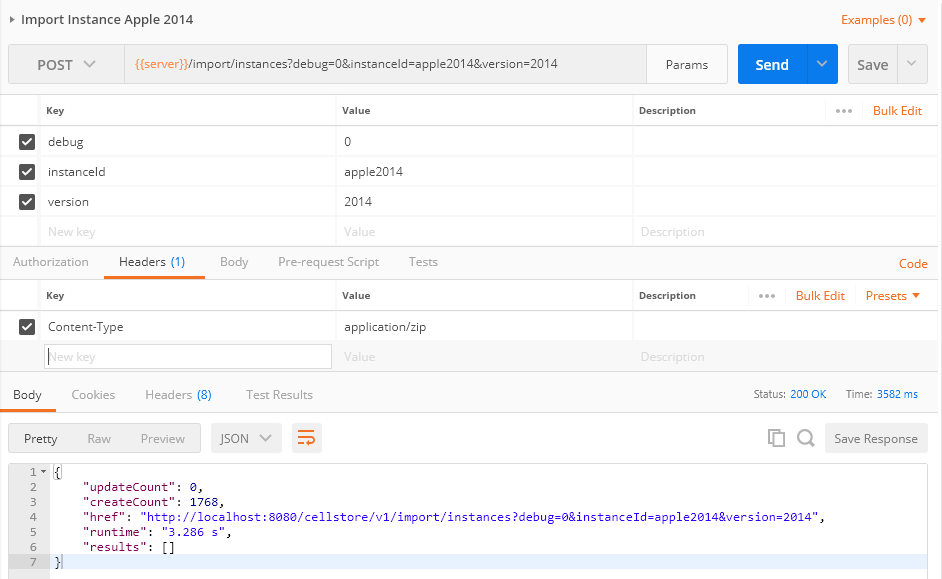
In order to issue the same import command that we submitted in Option 1, we choose the following settings:
- Endpoint:
/instances/import - HTTP method: POST
- Header:
Content-Type: application/zip - Body (binary):
apple_10Q_Q3_2017.zip(as created above or downloaded from apple_10Q_Q3_2017.zip) - Parameters:
instanceId=Apple-10Q-Q3-2017baseUrl=https://www.sec.gov/Archives/edgar/data/320193/000032019317000009/version=2017-08-02importDts=false
The according curl command looks like this:
curl --request POST \
 --header "Content-Type: application/zip" \
 --data-binary "@apple_10Q_Q3_2017.zip" \
 "http://localhost:8080/cellstore/v1/instances/import?instanceId=Apple-10Q-Q3-2017&version=2017-08-02&baseUrl=https://www.sec.gov/Archives/edgar/data/320193/000032019317000009/"
Or in Postman:
cellstore, get started, guide, tutorial, xbrl, importDo you want to learn more about the Rest API Endpoints and Parameters?
You can find a complete documentation of the Rest Endpoints and parameters in the Rest API Endpoints.